
Redirect from old to new page based on id htaccess apache rules
First thing lets take this scenario after changing the permalinks inside a certain client website, old links went to 404 not found page, here is the use case:
www.sveriges-verklighet.se/archives/3135
it should be redirected to the following:
www.sveriges-verklighet.se/?p=3135
we should write a Rewrite Rule and Link it with a condition
RewriteCond %{HTTPS} on
RewriteCond %{REQUEST_URI} /archives
Then we have to activate this condition with a RULE
RewriteRule ^archives/?(.*)$ ?p=$1 [C]
You can test this use case on https://htaccess.madewithlove.be/
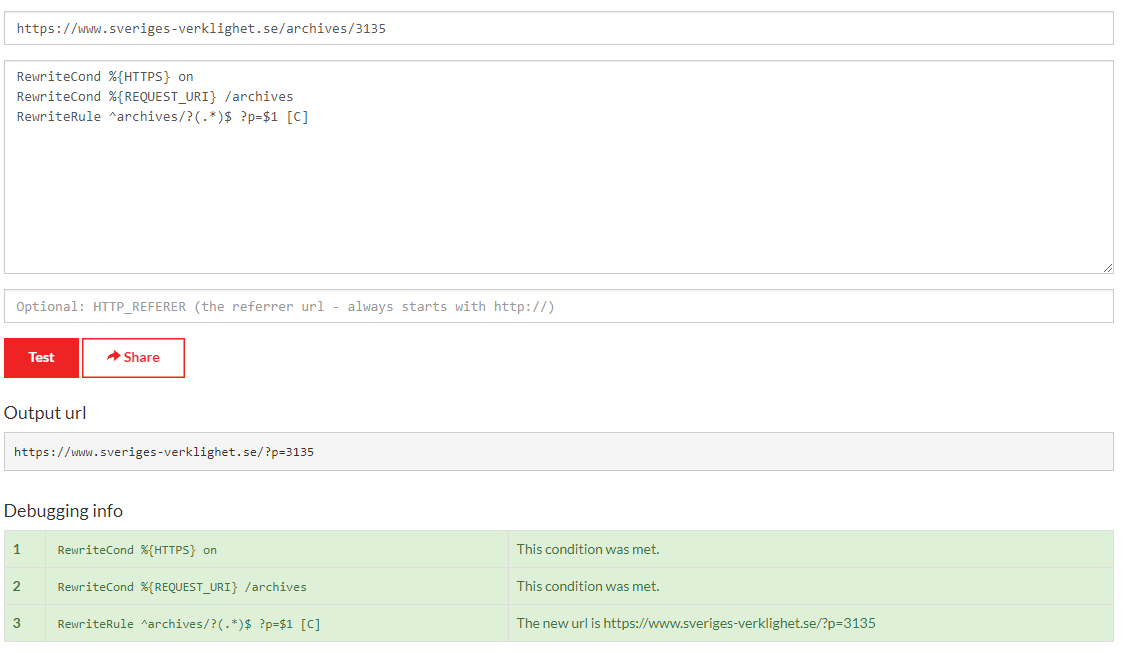
Then navigate to your htaccess file in your cpanel or if you are using greenbackend.com go to the File Manager and edit your wordpress htaccess file to the following
#Rewrite everything to https
#RewriteEngine On
#RewriteCond %{HTTPS} !=on
#RewriteRule ^(.*)$ https://%{HTTP_HOST}%{REQUEST_URI} [L,R=301]

# BEGIN WordPress
<IfModule mod_rewrite.c>
RewriteEngine On
RewriteCond %{REQUEST_URI} /archives
RewriteRule ^archives/?(.*)$ ?p=$1 [C]
RewriteBase /
RewriteRule ^index\.php$ - [L]
RewriteCond %{REQUEST_FILENAME} !-f
RewriteCond %{REQUEST_FILENAME} !-d
RewriteRule . /index.php [L]
</IfModule>
Boom, You’ve cruch it!
Thanks for reading this
-Ahmad Naser
Leave a Reply